
IIH Notetaker
IIH Notetaker is a meeting productivity app that records supported online meetings, creates searchable transcripts, and generates AI summaries, decisions, and action items for authorized users.
Why we request Google user data
We use Google sign-in to verify your identity. If calendar automation is enabled, we use calendar event details through read-only Google Calendar access (calendar.readonly) only to identify meetings that you choose to record or transcribe. We never modify your Google Calendar.
Review our Privacy Policy and Terms of Service before signing in.
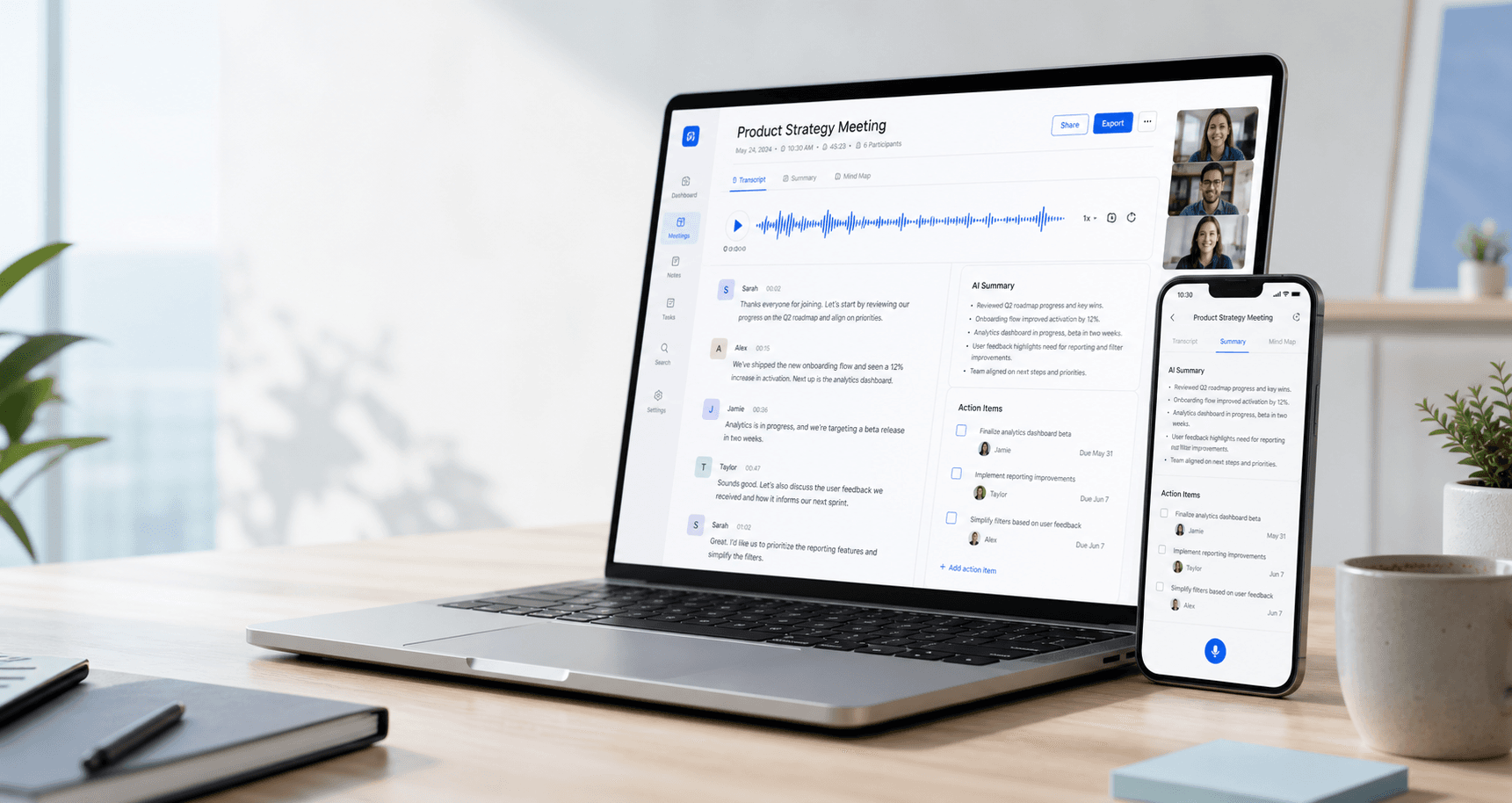
Summary ready
Decisions, key points, and action items are organized after the meeting ends.
What the app does
Meeting recording, transcription, summaries, and follow-up tracking
This page is visible without login and describes the actual product functionality before a user authorizes access with Google.
Meeting bot recording
Create a meeting session and allow the recording bot to join as a visible participant.
Meeting transcripts
Review transcripts with speaker labels, timestamps, searchable text, and playback context.
AI summaries
Turn meeting conversations into summaries, decisions, key points, and action items.
Calendar automation
Optionally sync calendar events so the bot can prepare for scheduled meetings.
Searchable meeting history
Find previous meetings, notes, participants, transcripts, and follow-up tasks in one workspace.
Privacy controls
Public Privacy Policy and Terms pages explain recording, data use, retention, and deletion.
Google and user data
What data we request and why
IIH Notetaker requests data only to authenticate users, identify meetings selected by the user, run the meeting recording workflow, and show transcripts or summaries back to authorized users.
Google account profile
Data requested
Name, email address, and basic profile details from Google sign-in.
Purpose
Used to authenticate you, identify your workspace account, and show the correct meeting notes.
Google email address
Data requested
Your email address provided during Google authentication.
Purpose
Used for account access, ownership checks, notifications, and support communication where enabled.
Calendar events, when enabled
Data requested
Read-only access to Google Calendar events through the calendar.readonly scope, including meeting titles, dates, times, participants, and conferencing links.
Purpose
Used solely to identify meetings you have chosen to record or transcribe, and to prepare the meeting bot for those calls. IIH Notetaker never modifies your Google Calendar.
Meeting links and recordings
Data requested
Meeting URLs you provide, bot status, recordings, transcripts, summaries, and action items.
Purpose
Used to join supported meetings, create transcripts, generate summaries, and organize meeting history.
How it works
From Google sign-in to meeting notes
The workflow is transparent: users authorize access, choose or sync meetings, admit the bot, and receive transcripts and summaries.
Sign in with Google to create your account
Create a meeting session or enable calendar automation
Admit the bot into the meeting as a participant
Review transcript, summary, decisions, and action items
Step 01
How it works
Invite the bot to your meeting
Paste a Meet, Teams, Zoom, or Jitsi link and let the recording assistant join as a visible participant.
Access is authenticated
Private meeting content is only available after user sign-in and authorization.
Recording is transparent
The bot joins as a meeting participant. Users are responsible for required participant notice and consent.
Policy pages are public
Privacy Policy and Terms of Service are available before login and should match the OAuth consent screen links.